
How Pacefactory Works
From Cameras to Insights in 3 Simple Steps
Pacefactory is designed to plug into your existing systems. No need for new hardware or complex integrations. You’ll be up and running in days with this simple setup:
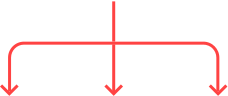
Connect
Pacefactory integrates seamlessly with the CCTV infrastructure you already have. Whether it's an IP camera or an analog system with DVR/NVR, we plug into your video feeds with zero disruption to production.
Analyze
Our proprietary AI processes your video feeds in real-time — frame by frame — detecting thousands of micro-interactions across people, machines, and products.
Decide
Once data is collected and analyzed, Pacefactory surfaces the insights that matter most, not raw footage, but operational intelligence.
AI-powered
AI Video Analytics that Sees Everything and Understands What Matters.
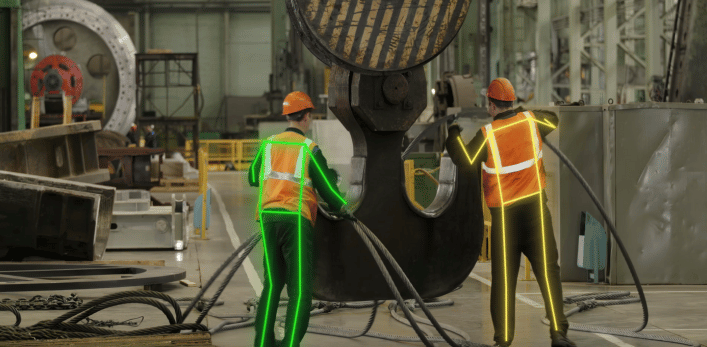
Pacefactory doesn’t just watch. It decodes what’s happening across your operations by analyzing video frames 24/7 and correlating them with contextual signals. Everything we track maps back to one of three critical pillars:
Uncover hidden slowdowns before they become lost output.
We Track:
Line Flow & Stoppages
Buffer Behavior
Labor Utilization
Changeover Efficiency
Operational Variance
Bottleneck Formation
Proactively spot risk before it leads to injury or downtime.
We Track:
PPE Compliance
Unsafe Behaviors
Access Violations
Proximity & Interaction Risk
Near Misses & Repeat Incidents
Ergonomics
Spot deviations from standard procedures - before defective product reaches a customer.
We Track:
Part Identification
Process Deviations
Inspection Compliance
Task Sequence Accuracy
Operational Variance
Bottleneck Formation
62%
End-to-end visibility into flow disruptions, staffing inefficiencies, and shifting bottlenecks — across every line, shift, and product run.
+3.5%
Fewer incidents, improved compliance, better worker protection with traceable video evidence.
28%
More consistent output, fewer reworks, and stronger audit readiness.
Every Tracked Event Is:
Timestamped
Tied to a specific time, location, and operator
Searchable
Searchable across days, shifts, or lines
Actionable
Backed by video footage for training or audits
connect
Integrations & Compatibility
Pacefactory is designed to work with your existing infrastructure — no need for rip-and-replace.
We ensure rapid deployment and stable performance by supporting widely used hardware, protocols, and remote access standards.
Camera Compatibility
Pacefactory works with most of the existing IP or analog cameras via RTSP streaming.
Manufacturer name
IP & MAC address
RTSP stream URL
Username & password
Secondary/third stream setup (recommended: 640x360P @ 20fps, codec: H.264)
Note: The main stream should remain reserved for your existing operations. If no substream exists, we help configure one.
Local Server Requirements
We support on-premise or rental server deployments.
OS: Ubuntu 20.04
CPU: 6-core, 3.0+ GHz
RAM: 16GB DDR 2400MHz
Storage: 1TB SSD (for application & database)
Network: Dual NIC card, 10 Gbps
GPU: Nvidia GPU with Compute Capability (CC) of 7.5 or greater
These specs ensure optimal real-time video processing and model inference.
Remote Access Options
We securely access your environment to configure and calibrate the system.
Corporate VPN with RSA token
Access limited to on-site server and camera lPs only
Remote desktop connection (e.g.,
TeamViewer) if VPN is not yet available
All access is logged and used only for setup,
maintenance, or troubleshooting.
How Pacefactory Works















Protects individual privacy while retaining operational insights.
Prevents invasive monitoring and encourages a privacy-first environment.
Flexible settings to adapt ghosting levels for specific needs.
Focuses analysis on workflow patterns, not individual actions.
Frequently Asked Questions
Here are some of the most common questions our team receives from professionals exploring AI-video analytics for the first time.
If you have a specific question that isn’t covered here, feel free to
Get ready
Ready to Uncover Hidden Inefficiencies?
